

Create with AI
Pages from your material
Add images, drawings and text to each project. Portovy arranges them into pages you can keep editing.
Start with AIBring in renders, drawings and text. Portovy lays them out as pages you keep editing, and reviews the PDF before you send it.
Saved online · PDF exportPortfolios, competition boards and project sheets, at the size they are printed.
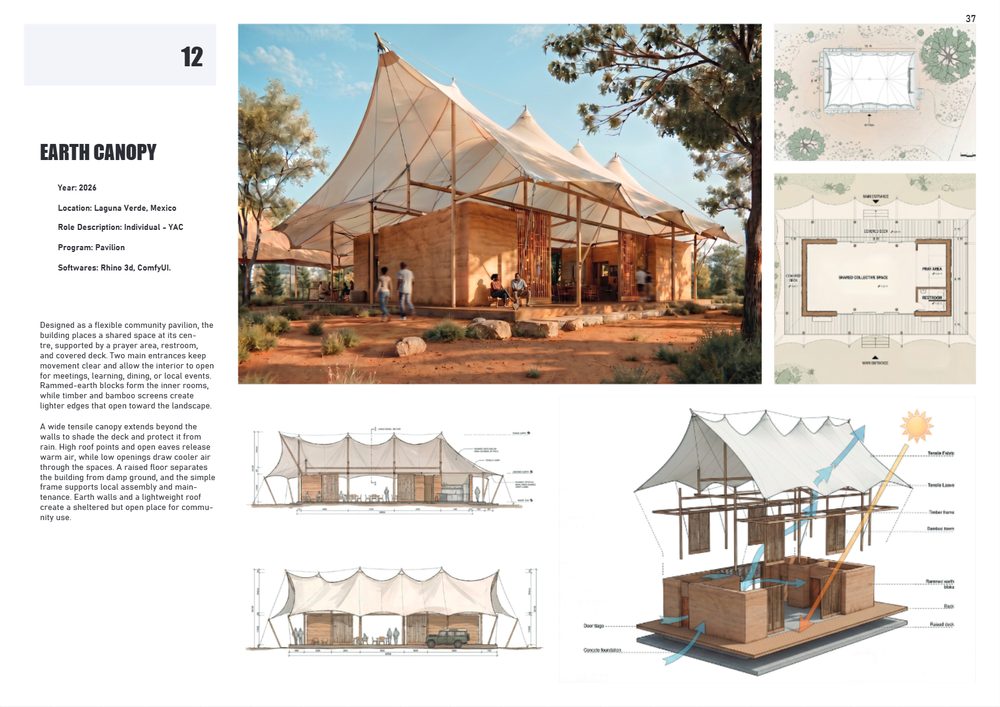
Renders, plans, sections, diagrams and models sit together in projects and pages. Every page stays editable, from the first layout to the PDF you send.
Pick how you begin. Everything after is the same editor, and the same file.
Add images, drawings and text to each project. Portovy arranges them into pages you can keep editing.
Start with AI
Portfolio and board templates, ready for your own work.
Browse templates
Import a portfolio you already made and keep working on it, page by page.
Bring in workPortovy reads what you add to a project and proposes pages for it. Change anything on them: nothing is locked.

The arrows beside a page step through other layouts for the same material. Hold one to compare.
Render, restyle, upscale or enhance a picture inside its own frame, from the toolbar above it.
Create with AI, beside every page, proposes a layout for that page alone.
Choose a style and how strong it should be, or add your own references. Style transfer works on the picture in its frame.
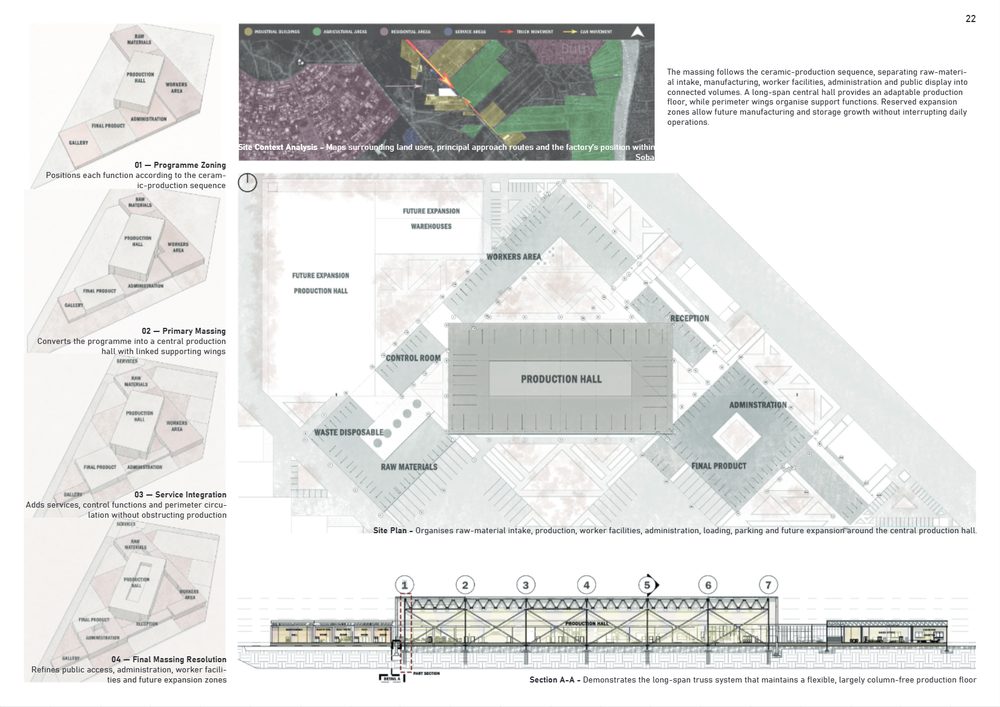
Rulers in millimetres, a grid fitted to the page, margins and guides, and the tools a drawing needs: lines, shapes, a ruler, a picker and a wand.
Review reads a finished portfolio and ties each note to its page. It looks at sequence, hierarchy, reading, consistency, drawing labels, context and submission requirements.
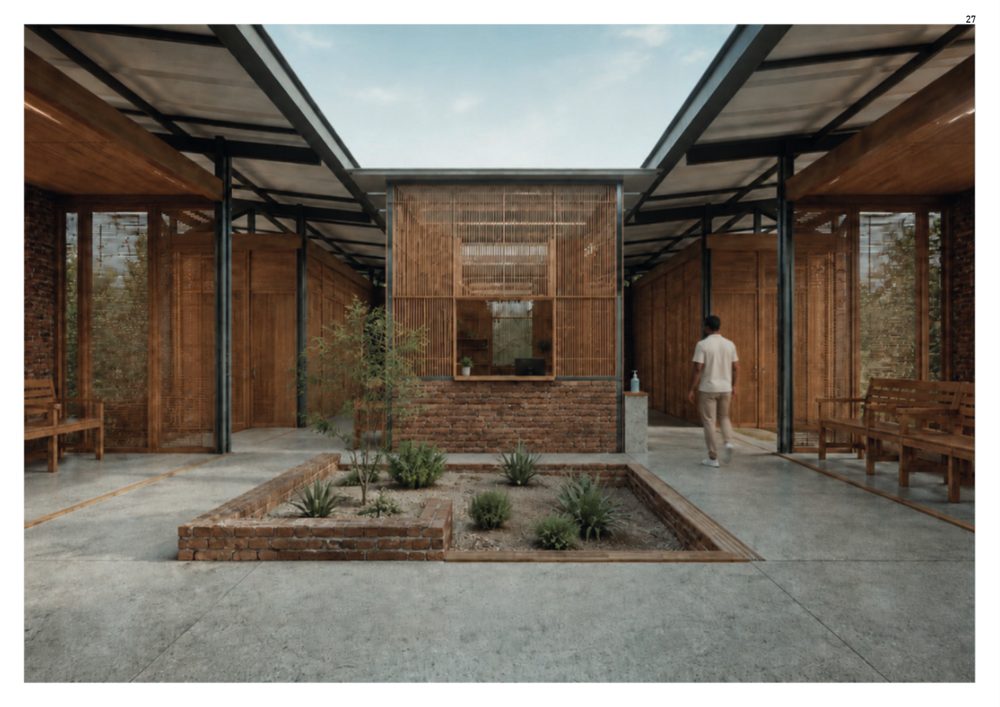
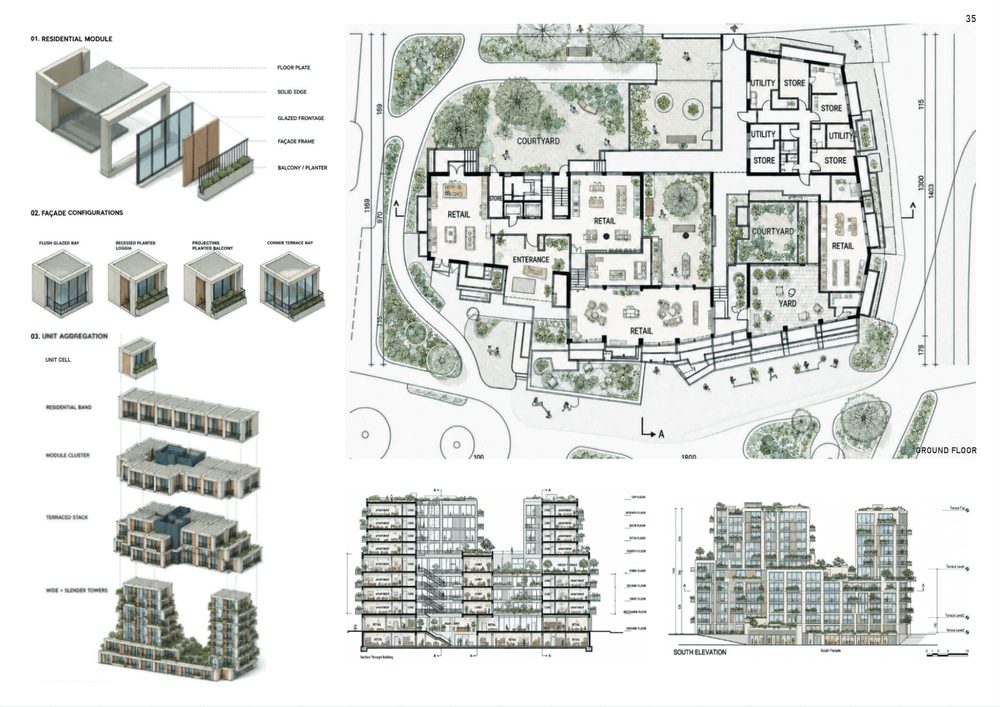
The plan explains how the rooms meet the courtyard. A larger view lets that read first.
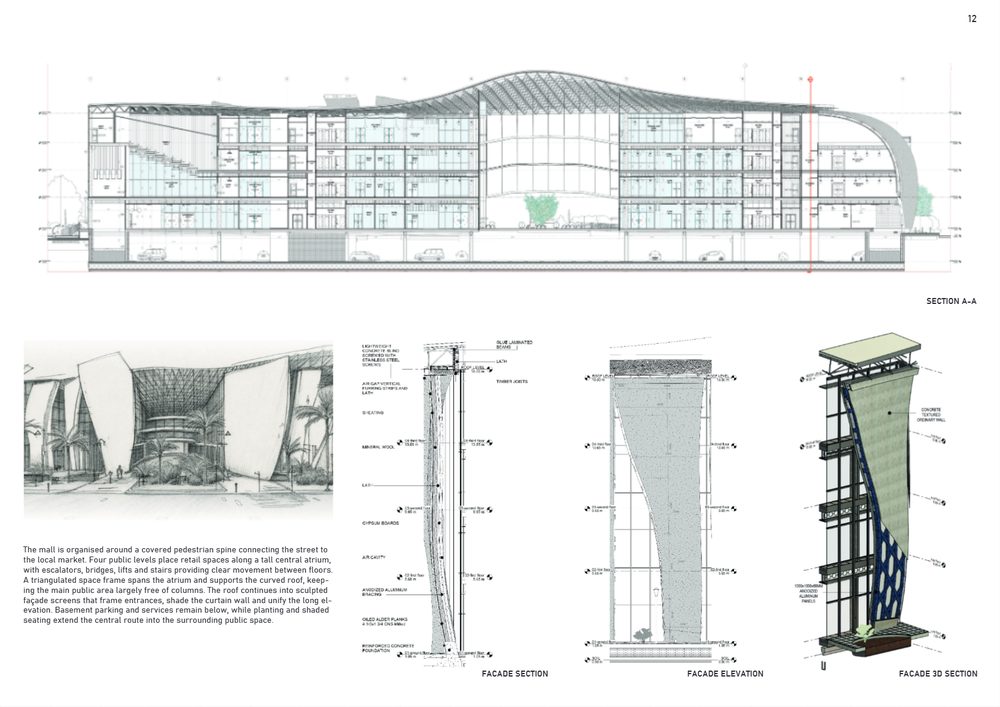
The section comes before the plan it cuts through, so it is read without its key.
Your projects stay in your own space. AI runs only when you ask.
Kept in your own space, apart from others.
It sends only what the action needs. Credits pay for it.
Download a .portovy backup of any project to keep a copy or move it to another computer.
Portovy brings drawings, images and writing into portfolios and presentation boards. Work on a blank canvas, start from a template, or use your material to explore an AI-assisted layout.
Yes. Bring in existing work imports a PDF or IDML file, and you keep working on it page by page.
Yes. An AI layout is made of ordinary pages and frames: move, resize, replace or delete anything on them, or step to another layout with the arrows beside the page.
Review reads an existing PDF and connects feedback to the pages. It looks at architectural communication: sequence, hierarchy, reading, consistency, drawing labels, context and submission requirements.
Online, in your own space. Download a backup any time.
Yes, from the editor’s export controls, at the page size you set: A0 to A4, Letter, Tabloid, square, a 16:9 screen or an exact size.


